

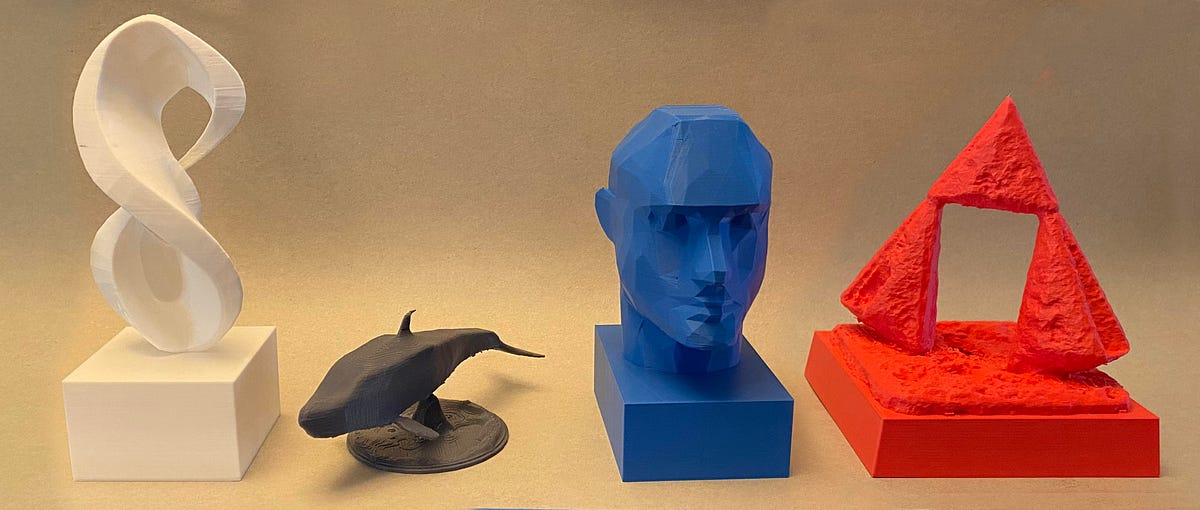
If you have been reading my articles on Medium, you know I like to run experiments using AI for creative endeavors and write about my experiences. I have covered areas like image generation, creative writing, and music composition. For the first time, I expanded my research into the third dimension. I looked into using commercial and open-source AI tools to create new physical objects and printed them using a 3D printer. In this article, I will show you the steps I took to design and print four different 3D meshes using various commercial and open-source tools. You will find all four objects in the 3D Gallery in the appendix.
In the following sections, I will walk you through four experiments I ran using different tools for 3D-object generation and show the results. The first was using commercial tools: Midjourney for creating a 2D image and a website called 3dMaker.ai for extracting a 3D mesh, a file that contains the geometry for display and printing in 3D. The second experiment used an open-source AI model from OpenAI called Shape-E [1]. The third used an open-source model called MVDream [2], and the fourth used a combination of MVDream and another open-source project called threestudio [3].
In all cases, I started with a text prompt, generated a 3D mesh, and used Blender, an open-source desktop application, to modify and clean up the 3D mesh. I then used desktop “slicer” apps, Ultimaker Cura and PrusaSlicer, to prepare and preview the 3D meshes before printing them at local libraries. If you are interested in printing these objects, you can check them out on my Thingiverse profile page.
After walking through the four examples, I’ll touch on the societal impact and ethics of generating 3-D objects with AI. I will discuss policies of ownership rights from the various services and systems. And I will end with a summary of what I learned from my experiments.