

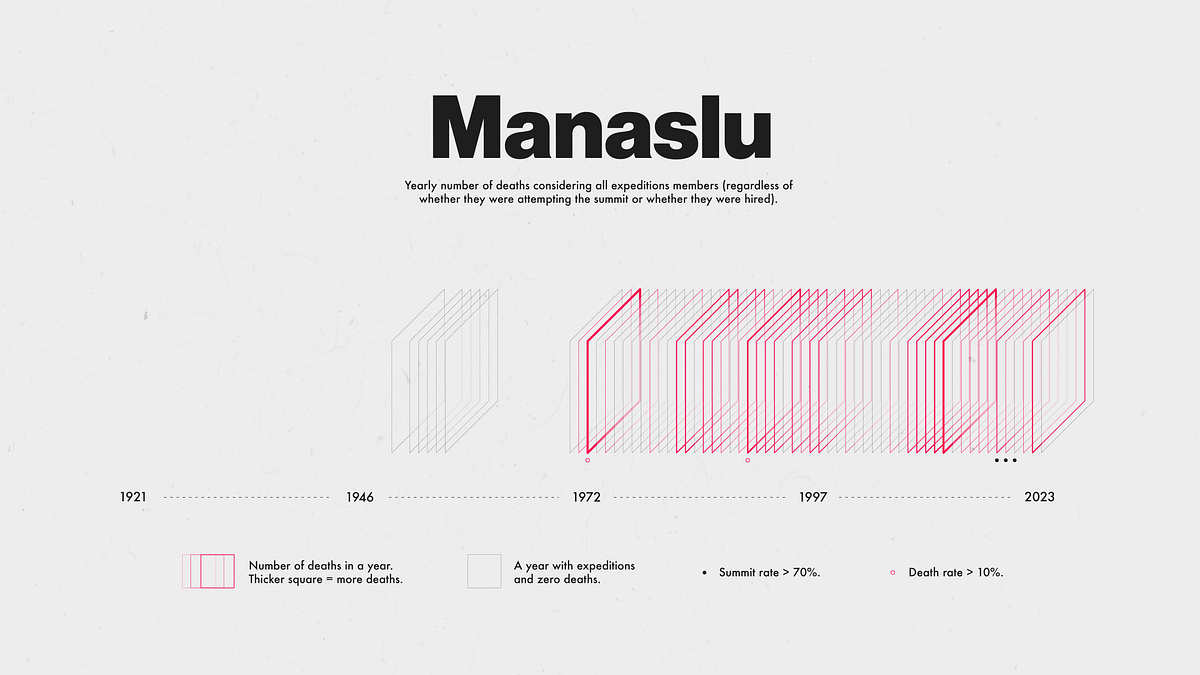
I’ve been meaning to learn D3 for a while. To be honest, D3 has always been an overkill for the types of problems I’ve worked on (where visualizing the data was just a means to an end, not the final product itself). As a Python developer I often use tools like matplotlib, plotly, seaborn, pandas (or geopandas), and bokeh to “get the job done”. Recently, however, I’ve been spending time creating data visualizations just for fun and it seems like the perfect time to start learning D3.
In this article I’ll show you how I created a graphic like the one above for 5 peaks (Everest, Ama Dablam, Cho Oyu, Lhotse, and Manaslu) using Python, D3, Illustrator, and Photoshop. I will go over:
- Inspiration.
- Getting the data.
- Initial data preparation.
- Selecting 5 peaks to visualize.
- Preparing the data for plotting.
- Creating an SVG with D3.
- Saving the SVG and importing into Illustrator.
- Working with the SVG in Illustrator.
- Adding final touches in Photoshop.
- Lessons learned.
This visualization was inspired by “Gisa’s Timeline” created by Barbara Rebolledo. I was looking for a nonstandard way to visualize the number of deaths during Himalayan expeditions and thought Barbara’s timeline looked interesting (and it provided the perfect excuse to use D3 since creating something like that in Python would’ve been a nightmare).
The data I used was obtained from the Himalayan Database and is the same dataset I used for the article “Visualizing Everest Expeditions”.
The Himalayan Database is a compilation of records for all expeditions that have climbed in the Nepal Himalaya.
Specifically, I extracted information on Himalayan expeditions by following the instructions on the Himalayan Database website. The dataset is a small CSV file (with a…